
Property owners
Owner portal
Give each owner client a space dedicated to their properties. Bookings, revenue, analytics and expense tracking help them follow their properties day to day.
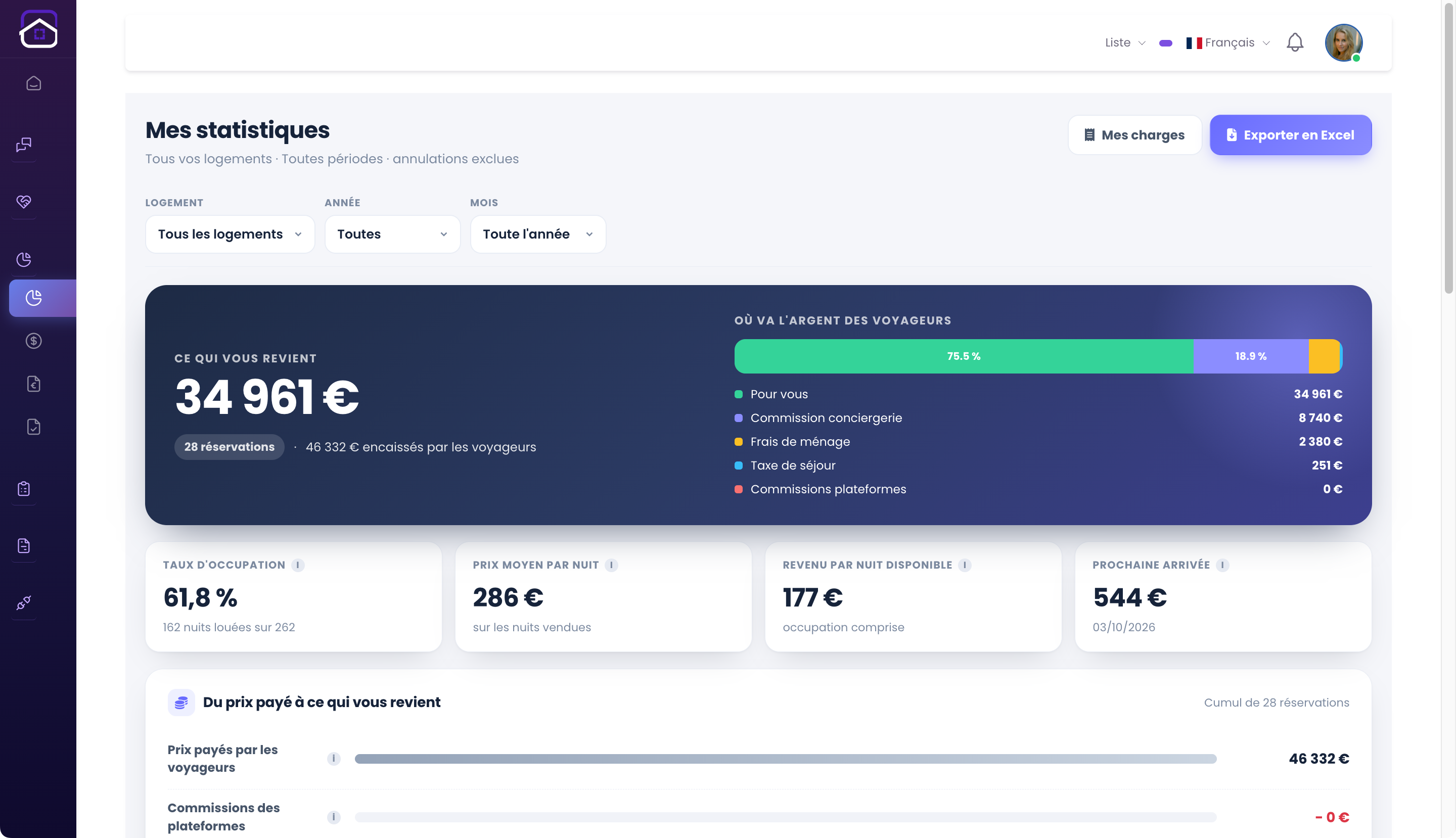
Show owner analytics
The analytics interface shows indicators for the relevant properties. Owners can view their rental activity for the periods and data available in their portal. The main screenshot shows this view, rather than the operator’s dashboard.
Find stays and documents
The owner portal gathers information available to the account: properties, associated bookings and shared documents. This is clearer than repeatedly sending requests to the operator.
Track property expenses
Owners can enter and follow their property expenses in their interface. These costs complement revenue analytics to help understand each property’s operations.
Distinguish owner clients from owner-operators
An owner using a holiday rental service has different needs from an owner handling guests and cleaning themselves. GuestLucky separates the owner portal from the operator’s tools. A demo helps you choose the right workflow.
From initial setup to everyday use.
- Associate the owner with their properties.
- Prepare their access and information.
- They can view their dedicated portal.
Useful questions.
Can owners see the operator’s other properties?
The portal centres on properties assigned to that owner. Access and assignments must be configured carefully by the operator.
The next step stays connected.
All featuresThe complete picture.
- Your properties
- Your expenses
- Your analytics
Owner expense tracking
Your revenue and expenses, together at last.
Discover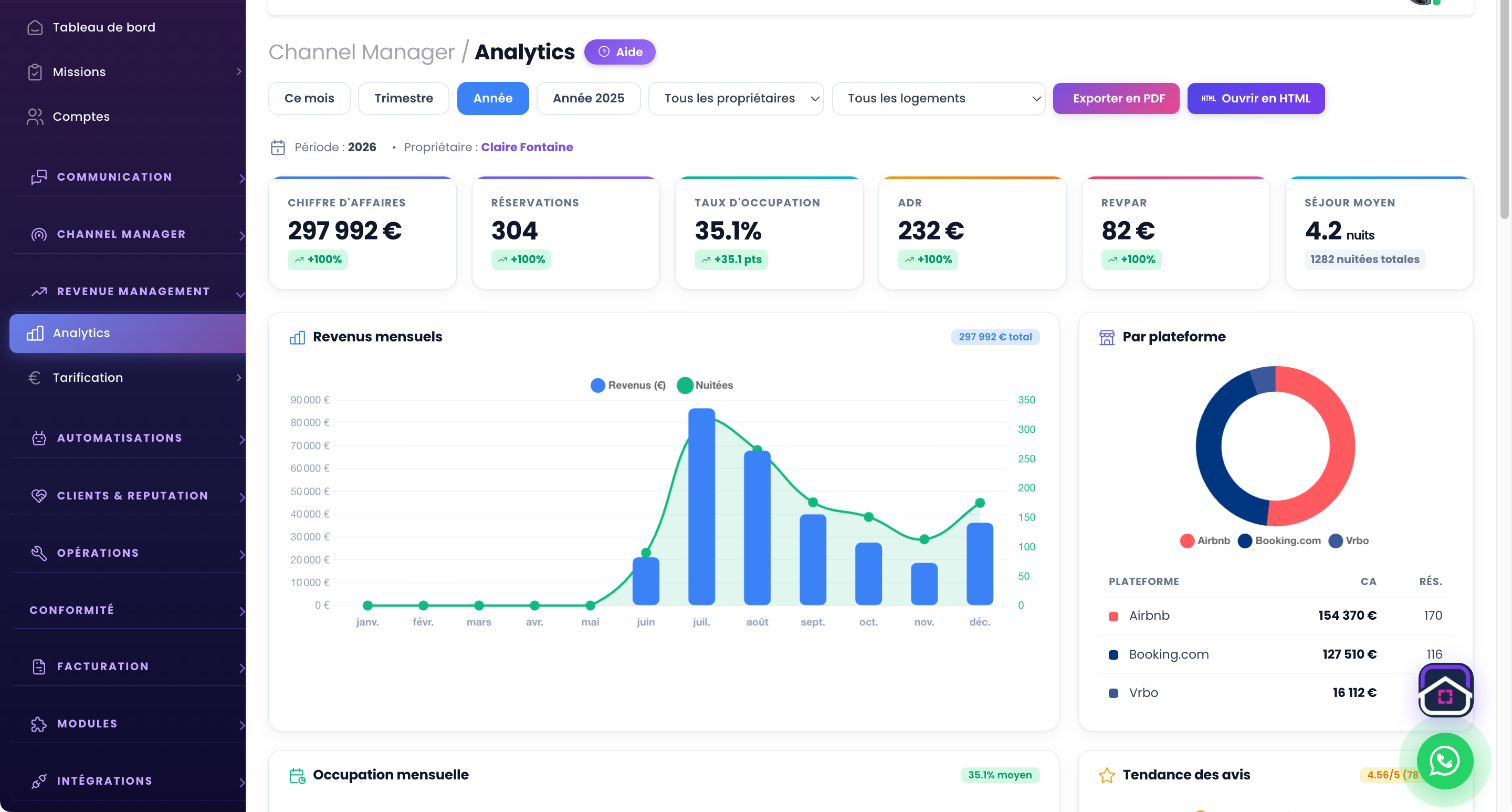
Analytics & revenue
Understand what your properties earn.
Discover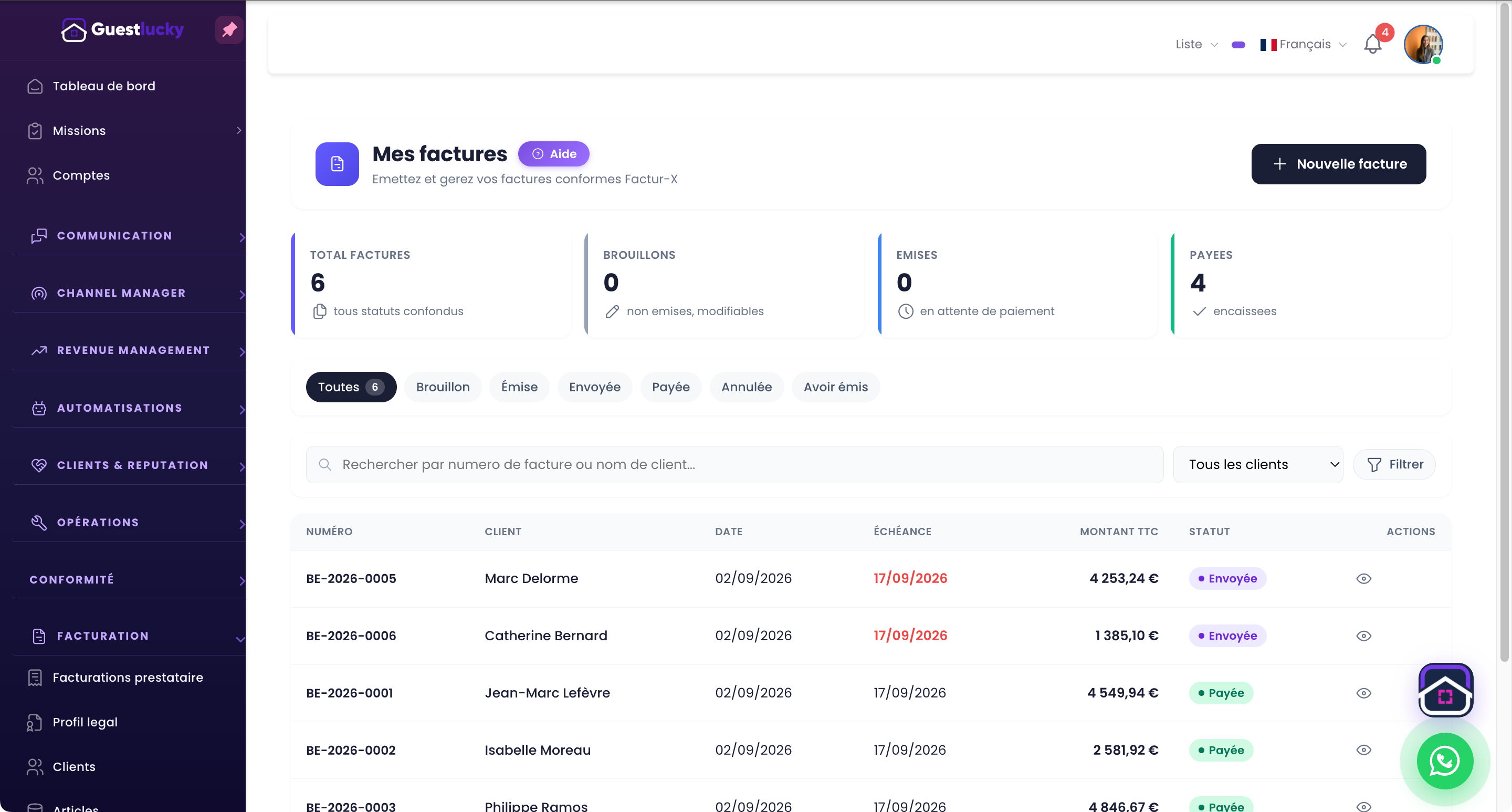
Invoicing & e-invoicing
Operations and invoicing, together at last.
DiscoverShall we explore it with your properties?
A free video-call demo, starting with your business and questions.